Tonoir

Tonoir

Guitar. In tune with you.

A tuner, a metronome and a recorder for guitarists. Bought once, for one price.

Download on the App Store £5.99 · no subscription
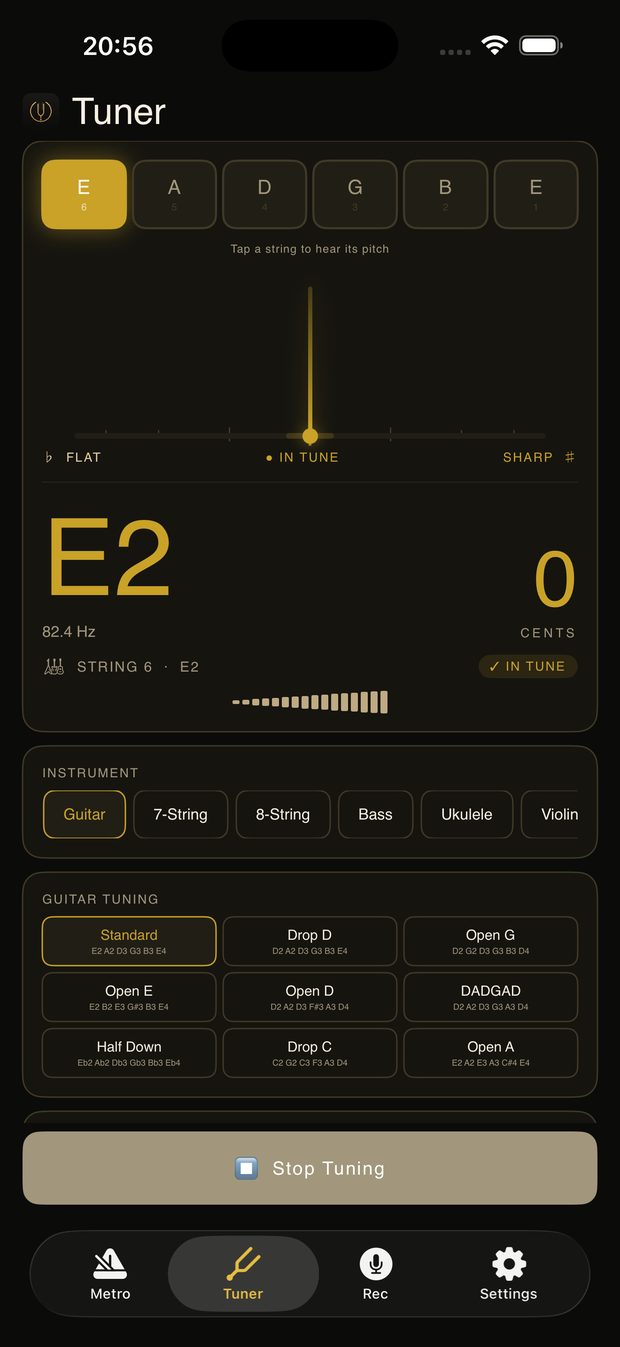
The Tonoir tuner reading a low E string dead in tune

What it does

The tools you already carry, done properly.

A tuner that hears a quiet guitar

Sensitive enough to pick up an unamplified electric. Pitch detection runs on the phone in real time, so the needle settles quickly instead of hunting.

  • Eleven instruments — guitar, 7- and 8-string, bass, ukulele, violin, viola, cello, double bass, mandolin, banjo
  • Thirty-two tunings, from standard to DADGAD, drop C to open G
  • Adjustable reference pitch for ensembles tuned away from A440
  • Vibrates when a string settles, so you can watch the fretboard instead of the screen
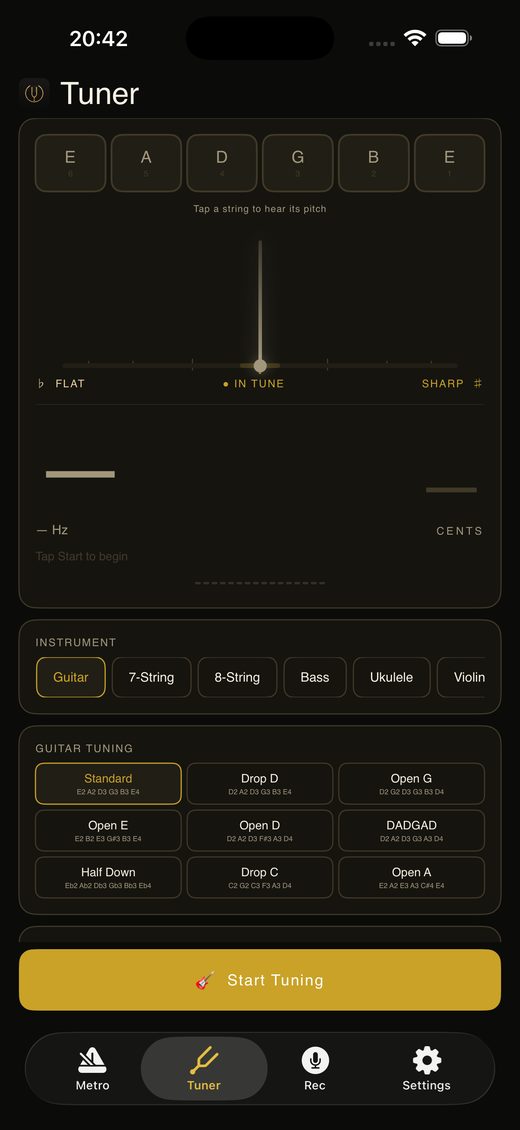
Tonoir's instrument picker and the nine guitar tunings

A metronome you can practise to

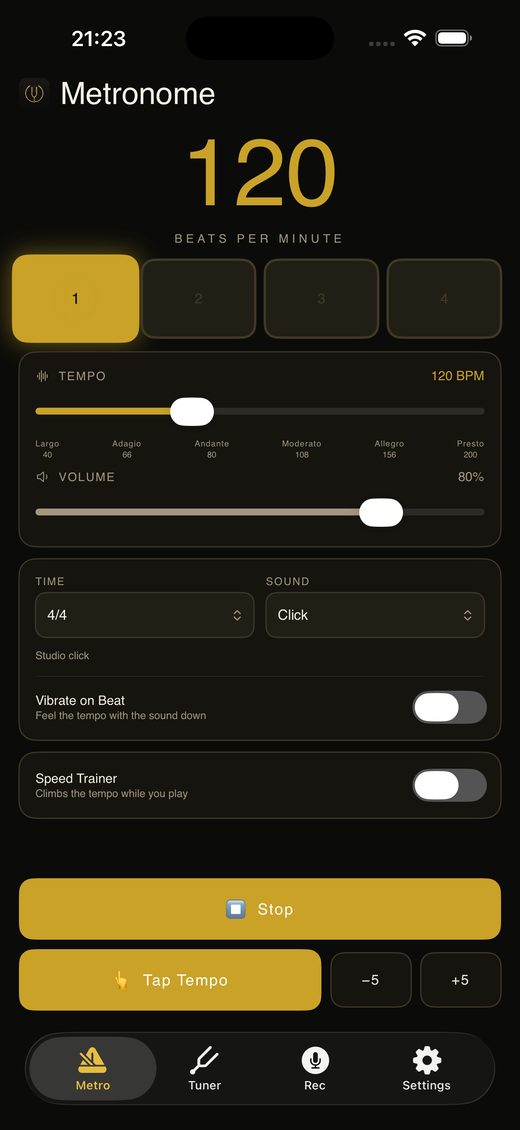
Wood block, studio click, drum kit, sticks, or a spoken count. Time signatures from 2/4 through 7/8.

  • A speed trainer that climbs the tempo every few bars while you play
  • Vibration on the beat, for practising with the sound down
  • Tap tempo, and a count-in before recording
The Tonoir metronome running on the downbeat

Somewhere to keep what you play

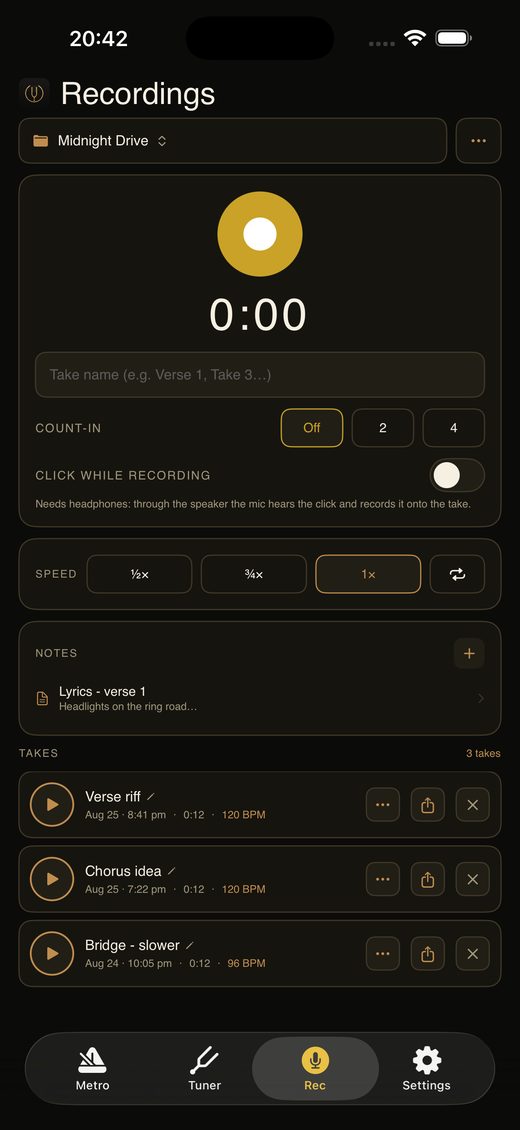
Catch an idea before it goes. Group takes by song and keep the lyrics and chords beside them, then share a whole song — audio and notes together — as one file.

  • Takes gathered under the song they belong to
  • Text notes for lyrics, chords and capo positions
  • Tempo read back off the recording itself
  • Back the whole library up to iCloud Drive, or anywhere in Files
A song group in Tonoir with three takes and a lyrics note

And the unglamorous part

The half of practice nobody puts on a feature list: playing the same four bars until they stop falling apart.

  • Slow a part to half speed without changing its pitch
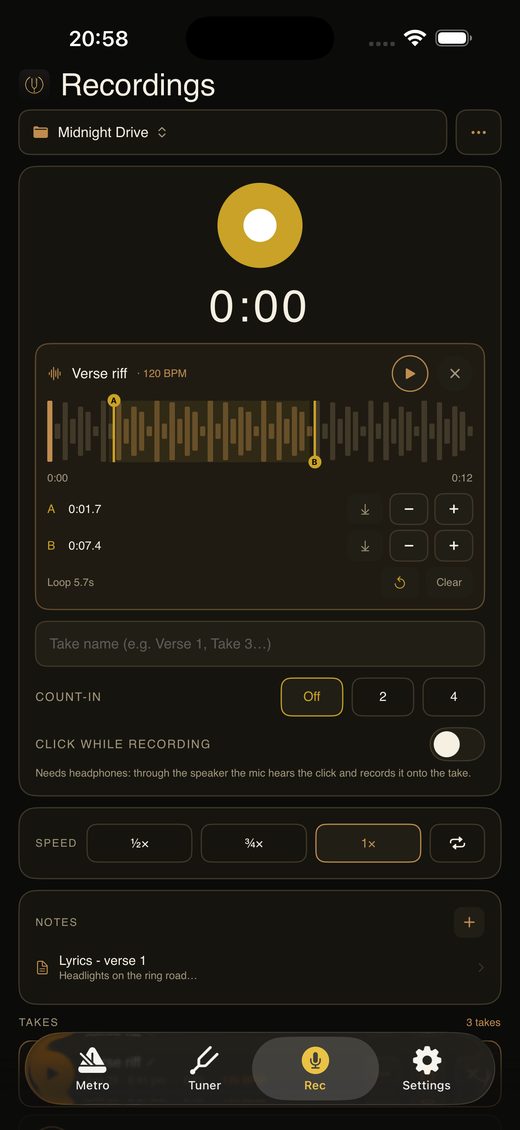
  • Drag an A and a B marker across the waveform and loop between them
  • Nudge either marker by a twentieth of a second when the ear disagrees with the finger
  • Play the click through headphones while recording, so it never lands on the take
An A/B loop marked across a recorded take in Tonoir

What it costs

One price. Paid once.

No subscription, no adverts, no account, and nothing that expires. Buy it once and it is yours, on every iPhone signed in to your Apple Account.

£5.99 once

Free

  • Guitar, standard tuning
  • 4/4 metronome, click sound
  • Three saved takes

Tonoir Pro

  • Every instrument and tuning
  • Reference pitch calibration
  • All sounds, time signatures, speed trainer
  • Unlimited recording
  • Slow playback and A/B looping

Support

Stuck on something?

Email support@tonoir.com and you will get a reply from a person. Tonoir collects nothing and sends nothing, so a problem on your phone leaves no trace anywhere I can see — your description of what happened is genuinely all I have to work from. Your iPhone model and iOS version help.

The tuner is not picking up my guitar

Open Settings inside the app and raise Mic Sensitivity. It exists for exactly this: an unamplified electric is a very quiet source, and the higher setting lifts it clear of the noise floor. Turn it back down in a noisy room, where a high setting will chase other sounds.

If nothing registers at all, check Tonoir has microphone access in the iPhone Settings app, under Privacy & Security → Microphone.

Why does recording to a click need headphones?

Through the speaker, the microphone hears the click and records it onto the take — which ruins the one thing you would want a click for. On headphones it does not exist as far as the microphone is concerned. The switch stays off until headphones are connected, and says why.

I paid, but the features are still locked

Open Settings inside the app and tap Restore Purchases. Purchases are tied to your Apple Account, so this also brings Tonoir Pro back on a new iPhone at no further cost.

Where are my recordings kept, and how do I back them up?

Takes live on your iPhone, in Tonoir's own storage. In Settings, Back Up saves the whole library — every take, group and note — to iCloud Drive or anywhere else in the Files app.

Restore only adds what is missing. It never replaces or deletes anything already on the phone, so restoring an older backup can never destroy newer work.

Does it work on iPad?

Tonoir is built for iPhone. It runs on an iPad in iPhone compatibility mode, but the layout is not designed for the larger screen yet.

How do I request a refund?

Refunds are handled by Apple, not by us. Go to reportaproblem.apple.com, sign in, and choose the purchase. Do tell us what went wrong as well, so it can be fixed.

Privacy policy · 25 August 2026

Tonoir collects nothing.

No accounts, no analytics, no advertising, no tracking, and no network connection of its own. There is no data for us to hold, sell or lose.

The microphone

Tonoir asks for microphone access so it can hear your instrument. That audio is analysed on your iPhone, in the moment, to work out the pitch you are playing. It is never recorded, stored or transmitted unless you press record yourself.

Your recordings

Recordings, song groups and notes are stored on your iPhone and nowhere else. They are never uploaded.

If you use Back Up, the files go wherever you choose in the Files app — typically iCloud Drive. That copy is yours, governed by whichever service you picked. Vector Mind Labs Ltd has no access to it.

Purchases

Tonoir Pro is sold through Apple's In-App Purchase system. Apple handles the payment and tells the app only whether the purchase is valid. Your payment details are never seen by Tonoir or by Vector Mind Labs Ltd.

Children

Since Tonoir collects no data whatsoever, it collects none from children either.

Changes

Any change to this policy will be posted here with a new date. If a future version of Tonoir ever collected anything, that would be described here before it shipped.

Contact

support@tonoir.com